Decide where new leads should arrive
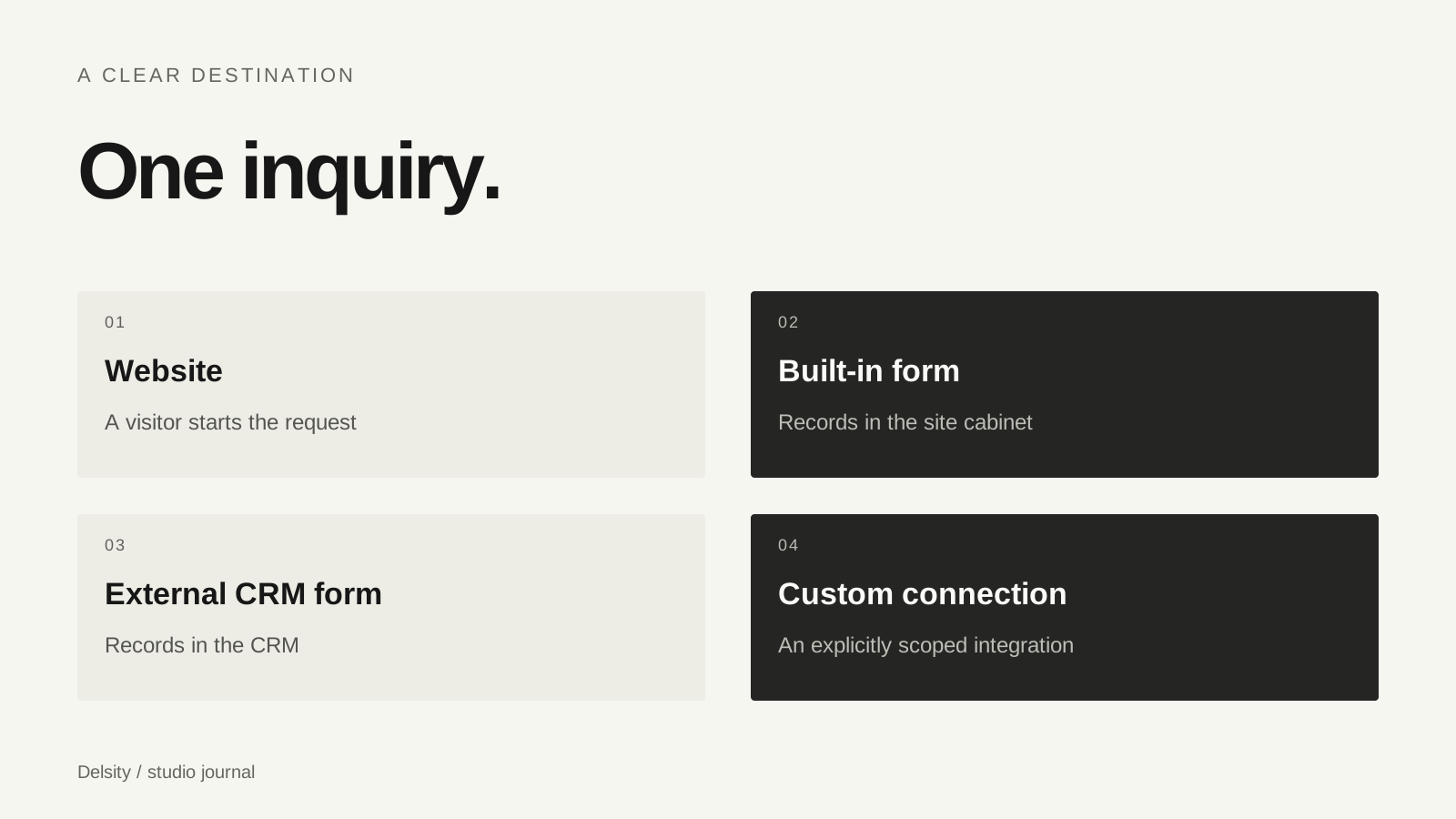
A photography website can look finished while its inquiry path is uncertain. Start by naming the place where the studio should receive and act on a new request. That could be the website’s owner cabinet or the CRM you already use.
If a visitor fills in a published CRM form, the provider handles that form’s submission route. If a visitor fills in the website’s built-in form, its data belongs to the website workflow unless a separate integration moves it elsewhere. A button labelled “inquire” does not explain which of these is happening.
Three methods with different scope
| Method | What a visitor does | Scope to verify |
|---|---|---|
| Hosted form link | Opens a provider’s public form | Correct URL, mobile layout and return route |
| Embedded form | Completes the provider form inside a page | Provider embed support, loading and responsiveness |
| Custom integration | Submits a site form that exchanges data | API permissions, field mapping, failures and duplicate handling |
These methods are not levels of visual quality. They solve different requirements. A hosted link can be the clearest solution when an embed is unavailable or creates a poor mobile experience. A custom API connection should be chosen for a concrete workflow requirement.
Work with the provider’s published form
Our website offer supports planning around HoneyBook, Dubsado, 17hats, Studio Ninja and Sprout Studio forms. The exact form must come from the studio’s account and the provider’s supported sharing or embedding method. We do not need to publish a login or private dashboard link.
Share the public form, desired fields and the intended destination with the developer. Confirm support using the provider’s current instructions. This guide describes the connection types; it is not a tested ranking of CRM products or a claim that every subscription supports the same features.
Test the journey, not only the button
- Open the form from the website on a phone and a desktop.
- Submit a clearly labelled test inquiry with non-sensitive sample data.
- Verify the record in the intended destination.
- Check required fields, confirmation text and the next action.
- Look for duplicate records if more than one form route exists.
Keep the check within your own account and follow the studio’s handling rules. Test data should not trigger an unexpected client workflow. A successful browser submission is only one part of the result; the studio still needs to find and process the request.
Write a specific connection brief
“Connect our CRM” is broad. A better brief says: use this public form, collect these fields, create the record in this destination and show this confirmation. If the requirement includes automatic status changes or two-way updates, describe those separately.
Choose who receives access and who maintains the connection when the provider changes a form or API. For a larger system, the custom versus existing CRM guide can help establish the boundary. For a website-only project, a well-tested form route may cover the immediate need without a larger application.
Frequently asked questions
Does embedding a CRM form create two-way synchronization?
No. An embed displays the provider’s form. Two-way synchronization is a separate integration with its own data and permission requirements.
Where do built-in site inquiries appear?
In our website example they appear in the site cabinet. External CRM form inquiries follow the CRM provider’s route.
Is an external link worse than an embed?
Not necessarily. Compare accessibility, mobile behaviour, loading and the next step. Use the method the provider supports reliably.